# Prebid.js header bidding advertising demo
For an introduction and configuration information for Prebid.js, see the [Configure Prebid header bidding](/docs/wowza-flowplayer/plugins/advertising/#configure-prebid-header-bidding) section.
## Before you start
Before you work with this demo, you must meet the following requirements:
* Ensure you have a contract with an ad network that supports Prebid.js.
* Load the JavaScript and CSS for the core player, as well as the Advertising plugin. For player versions before v3.4.5, you also need to load the Google IMA3 SDK.
* Make sure you have a player token that authorizes use of the player. For more, see [Token configuration](/docs/wowza-flowplayer/player/configure/#token-configuration). The Flowplayer Sandbox environment already includes a token for demo purposes. It also automatically enables the HLS and Wowza Platform Integration (ovp.min.js) plugins.
## Sample implementation
This sample implementation embeds the player in your site and configures it to use the built-in Prebid.js features.
It makes the assumption that you're using the player via the code hosted on the Wowza Flowplayer Content Delivery Network (CDN). This is the easiest approach to embed a customizable instance of Wowza Flowplayer. For more information about this topic, see the [Embed without Wowza Video](/docs/wowza-flowplayer/player/embed/embed-with-standalone/) page.
Check this Wowza Flowplayer sandbox for the full solution. To render the player, this sandox loads these JavaScript and CSS libraries:
```html
```
We then use the following code snippets to initialize the video player and configure it to request a bid using the Dailymotion and Livewrapped adapters. We used these two bidders since they provided test values for integrations.
info
If you're using a similar configuration outside of the Wowza Flowplayer sandbox environment, make sure to add your Wowza Flowplayer token. Replace any Prebid paramater values with your own.
```javascript
// Declare constants for bidders
const dailymotion = {
bidder: "dailymotion",
params: {
apiKey: "dailymotion-testing"
}
}
const livewrapped = {
bidder: "livewrapped",
params: {
adUnitId: "6A32352E-BC17-4B94-B2A7-5BF1724417D7",
publisherId: "C6E31E93-116B-4040-A185-E7BA621C3799",
adUnitName: "panorama_d_1",
userId: "user id"
}
};
const availableBidders = { dailymotion, livewrapped };
// Initialize bidders array with values from availableBidders
const bidders = Object.values(availableBidders);
// Optionally log bidders
function logBidders() {
bidders.forEach(bidder => {
console.log("Added bidder to bidders:", bidder);
});
}
logBidders();
// Initialize player with Prebid.js configuration
const player = flowplayer("#player", {
src: "https://commondatastorage.googleapis.com/gtv-videos-bucket/sample/BigBuckBunny.mp4",
poster: "https://upload.wikimedia.org/wikipedia/commons/7/70/Big.Buck.Bunny.-.Opening.Screen.png",
title: "prebid.js",
// Add your token
// token: "[my-token]",
ads: {
prebid: {
bidders: bidders,
custom_params: { section: "blog", someOtherKey: "custom parameter" },
// Define timing of ad breaks at 0 (pre-roll), 30.0 (30 seconds), and -1 (post-roll)
breaks: [0, 30.0, -1],
pbjs: {
// Enable additional logging in development console
// debug: true,
// Set top level configuration to prevent reading or writing cookies or HTML localstorage
deviceAccess: false
}
}
}
});
// Listen to PBJS_AVAILABLE event to see if Prebid.js is loaded
player.on(flowplayer.ads.events.PBJS_AVAILABLE, (e) => {
console.log("Prebid.js loaded");
})
```
```css
#player {
max-width: 40em;
width: 100%;
float: left;
}
```
```html
```
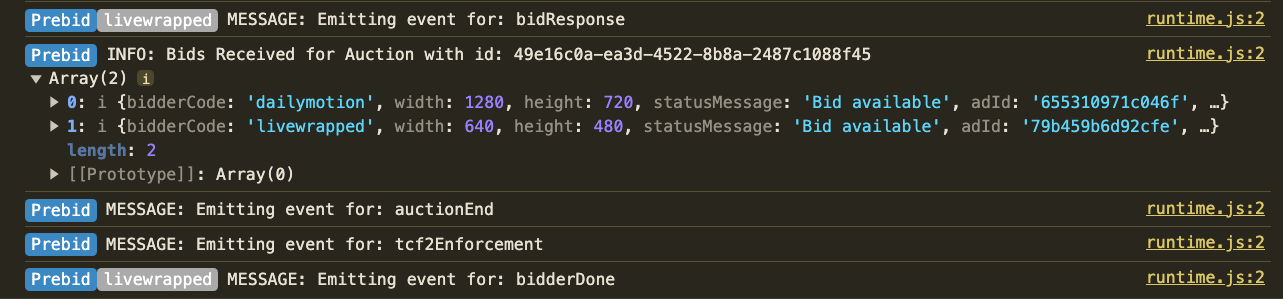
To see Prebid auction events and bid requests with the `debug: true` setting, check the Console tab in your browser's developer tools.